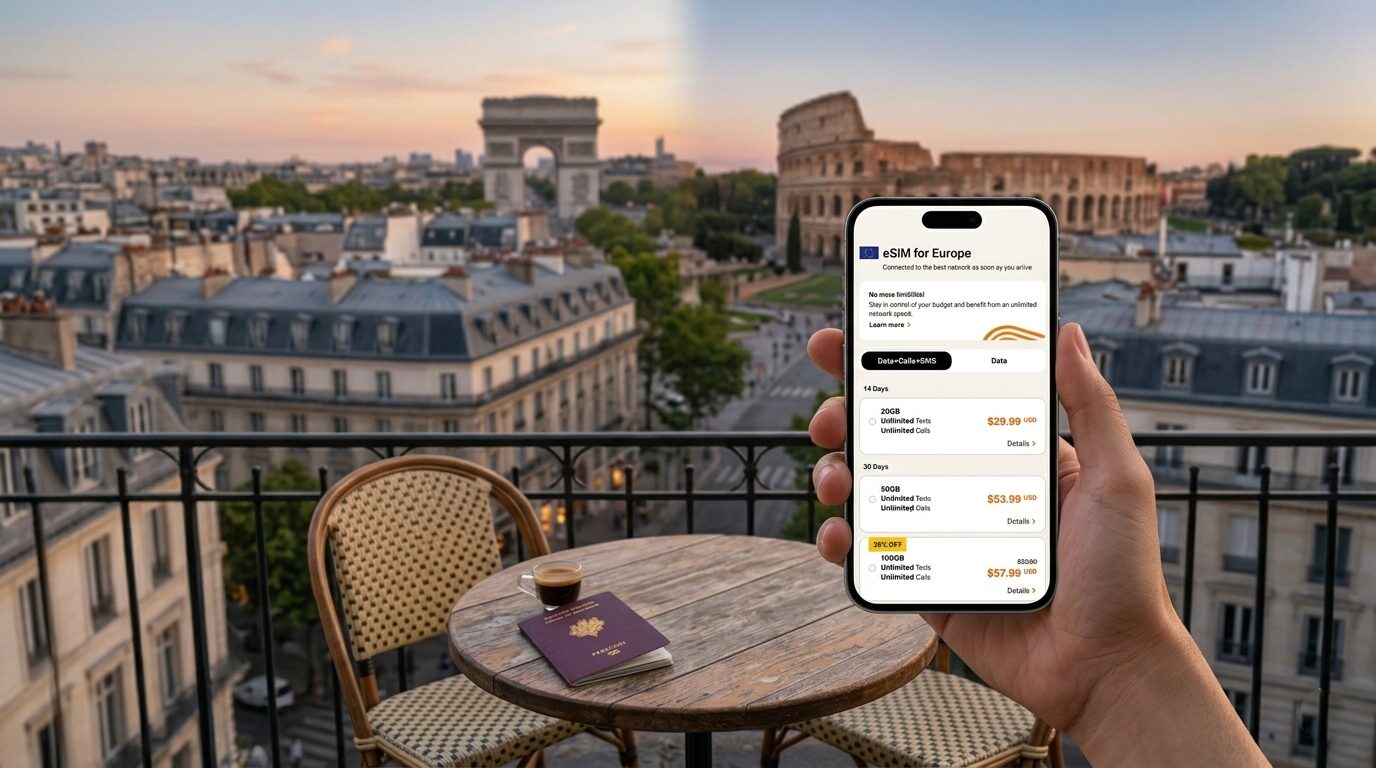
Why Your Next Trip Needs a Digital SIM Card
Unlimited Travel eSIM Plans That Actually Work.
Tired of hunting for Wi-Fi or paying shocking roaming fees the moment you land abroad? A travel eSIM is a digital SIM card that lets you instantly connect to a local network in your destination without swapping out your physical card. You simply scan a QR code before your trip, pick a data plan that fits your needs, and stay connected from the moment you step off the plane. It’s a hassle-free way to keep your maps, messages, and social media working seamlessly wherever you go.
Why Your Next Trip Needs a Digital SIM Card

For your next trip, a digital SIM card eliminates the hassle of hunting for local SIMs or paying sky-high roaming fees. You can buy and activate a travel eSIM from your couch before you even pack, landing connected instantly. No more wrestling with tiny plastic cards or losing your home number; just scan a QR code and go.
The best part? You keep your primary line active for two-factor authentication texts while using the eSIM for data, so you never miss a work call or bank code.
It’s genuinely the easiest way to jump off the plane and navigate straight to your Airbnb without a frantic search for Wi-Fi.
The Hidden Costs of Roaming That Nobody Talks About
Standard roaming’s hidden costs extend beyond daily fees, often striking when you least expect them. A common trap is the background data surcharge, where syncing email or a map tile triggers carrier rates even on airplane mode. Another silent drain is receiving voicemails—downloading them incurs per-MB costs, while forwarding chains to international numbers add per-minute charges. Likewise, SMS authentication codes for apps like banking or Uber register as premium outgoing texts, costing upwards of $0.50 each. A digital SIM eliminates these by providing a single, local data pool with flat rates, preventing any background- or SMS-based billing surprises. This transparency is the practical advantage often overlooked.
How Local SIM Cards Can Ruin Your Itinerary
Relying on a local SIM card often means wasting precious travel hours hunting down a shop, waiting in line with a passport photocopy, and then struggling to activate the plan. That lost morning could have been spent exploring a market or sleeping in. If your flight arrives late, most kiosks are closed, leaving you stranded without navigation. You also risk having no signal when switching providers between countries. Local SIM cards can ruin your itinerary by creating these time-consuming hurdles.
- Forced to navigate an unfamiliar city without data until you find a store.
- Wasted hours at a telecom counter instead of sightseeing.
- Risk of being offline during late-night arrivals or early departures.
- Unable to stay connected when crossing a border unexpectedly.
What a Virtual SIM Actually Does Differently
A virtual SIM operates differently by decoupling your mobile number from the physical hardware entirely. Instead of swapping a plastic card, it embeds a programmable profile directly into your device’s chipset, allowing you to instantly download and switch between carrier plans without touching a slot. This eliminates the need to carry multiple pockets or risk losing a tiny chip abroad. Crucially, a virtual SIM retains your primary line’s native access while the digital profile runs simultaneously for data, meaning you never physically remove your home number’s connectivity—you simply layer a local data plan over it, avoiding service gaps or reinsertion hassles.
How to Pick the Right Data Plan for Your Journey
To pick the right travel eSIM, first match your data allowance to your actual usage habits, not a trip duration. A heavy streamer needs unlimited, while a map-checker can survive on 1GB per week. Next, verify carrier compatibility by checking if the eSIM partner uses local network towers for optimal speeds. Prioritize plans with a local phone number if you need to make regional calls, or choose a data-only eSIM for pure browsing. Always check the plan’s valid period—shorter trips favour daily passes to avoid unused data.
The best travel eSIM saves money only if you buy exactly what you’ll consume, avoiding wasted gigabytes and surprise top-ups.
Regional Passes vs. Single-Country Options: Which Saves More?
Choosing between a regional pass and single-country eSIMs depends entirely on your itinerary’s geography and duration. A single-country option saves more when you stay in one nation for multiple days, as you avoid paying for unused cross-border access. Conversely, a regional pass becomes significantly cheaper if you hop between two or more countries, even for a single day each, because buying separate local eSIMs adds setup fees and unused data per border crossing. Regional passes yield the best value for multi-stop itineraries, while single-country options dominate for deep, stationary exploration where cross-border capability would be wasted expenditure.
Matching Gigabytes to Your Travel Habits
Matching gigabytes to your travel habits ensures you never overpay for data you ignore or scramble for data you lack. First, audit your typical digital behavior: heavy video streaming or video calls demand 5GB or more per week, while casual map-checking and messaging can coast on 1GB. Choose a plan that aligns with your most demanding activity, not your average day. Optimize your travel eSIM data by leveraging offline tools—download maps, playlists, and guides before departure to stretch your gigabyte budget further.
- Estimate daily usage: streaming (1GB/hour), social scrolling (150MB/hour), messaging (negligible).
- Select a plan with 1–2GB for light browsing, 5GB+ for video-heavy trips.
- Buy top-up slots in your eSIM to add data mid-journey without penalty.
Validity Windows: Short Hops vs. Extended Stays
When selecting a travel eSIM, matching the validity window to trip duration prevents wasted credit. For short hops (1–7 days), choose plans with a rigid 7-day or 10-day activation period; these offer lower per-day cost but expire immediately, forcing a new purchase for any extension. Extended stays (14–90 days) reward flexible validity windows that activate only on first use and allow top-ups within the same window. The core trade-off: short validity saves money on brief trips but penalizes delays, while long validity provides a buffer against itinerary changes but carries a higher upfront cost. A 30-day rolling window suits most medium journeys.
| Aspect | Short Hops (1–7 days) | Extended Stays (14–90 days) |
|---|---|---|
| Typical validity | Fixed 7–10 days from purchase | Flexible 30–90 days from first use |
| Cost efficiency | Low per-day (< $2) | Higher per-day ($3–$6) |
| Extension risk | Plan expires, must rebuy | Top-ups possible within same window |
Step-by-Step Setup Guide for Instant Connectivity
First, ensure your phone is unlocked, then purchase and download your travel eSIM plan before you leave. Upon arrival, activate the eSIM by scanning the QR code or entering the manual details in your phone’s cellular settings. Name the new line (e.g., “Japan Data”) and set it as your primary data source while keeping your home SIM for calls. Turn off data roaming on your home line to avoid surprise charges, and toggle the eSIM’s data roaming on if needed—this is the single most common setup step travelers overlook. Wait a moment for the network to latch; if it doesn’t connect, manually select a supported local carrier. A quick restart often resolves any final hiccup when the connection seems delayed.
Checking Device Compatibility Without the Headache
To avoid connectivity issues, verify your handset is unlocked and eSIM-compatible before purchasing a travel eSIM. Check your phone’s IMEI via the settings menu or dial *#06# to confirm eSIM support. Many newer devices require an operator-unlock even if hardware supports eSIM. For dual-SIM phones, ensure the eSIM slot isn’t permanently tied to your home carrier.
Q: Can I use a travel eSIM if my phone is carrier-locked?
A: No—a carrier lock blocks any eSIM profile from a different provider.
Scan, Install, Activate: The Three-Step Routine
The travel eSIM three-step routine begins when you scan the QR code provided in your purchase confirmation—this loads the eSIM profile onto your device. Immediately after scanning, complete the install prompt in your phone’s settings; do not delete the confirmation email until this is done. Finally, activate the eSIM by toggling the new cellular line on in your network settings, typically requiring no restart. Activation should be performed only after arriving at your destination to avoid prematurely burning your plan’s validity window.
- Scan the QR code only while connected to a stable Wi-Fi or data network.
- Install the eSIM profile before deactivating your primary SIM.
- Enable data roaming on the new line for instant connectivity abroad.
Troubleshooting Common Activation Errors
If your travel eSIM isn’t activating, first confirm you’re connected to Wi-Fi, as the profile downloads require an active internet connection. A common fix is manually selecting your network operator under cellular settings after installation. For persistent errors, toggle Airplane Mode on for 30 seconds, then off to trigger a network refresh. Never delete the eSIM profile until you’ve verified the APN settings are correct for your destination. Activation error troubleshooting often resolves by ensuring the eSIM is set as the primary data line while your home SIM remains idle.
- Restart your device after installing the eSIM profile
- Double-check that your device is unlocked for third-party eSIMs
- Verify the eSIM’s activation code was entered without typos
Top Destinations Where Digital Roaming Makes Sense
Forget hunting for local SIMs in top destinations where digital roaming makes sense—your travel eSIM unlocks seamless connectivity the moment you land. Picture landing in Japan’s Narita Airport, eager to navigate Tokyo’s subway; a pre-loaded eSIM activates instantly, letting you pull up Google Maps without fumbling for a plastic card. In Bali, you’re spontaneously booking a surf lesson in Uluwatu, relying on local data rates that beat cafe Wi-Fi. Across European capitals like Paris or Rome, hopping between trains while streaming museum guides feels effortless. Even in remote Patagonian trails, a travel eSIM connects you to trail updates. These spots reward the digital nomad who values time over tinkering—pure, immediate freedom.
Urban Explorers: How It Performs in Asia’s Megacities
Urban Explorers in Asia’s megacities thrive on the instant connectivity a travel eSIM provides, letting you dart from a Tokyo izakaya to a Seoul hidden alleyway café without hunting for local SIMs. In Bangkok, your eSIM automatically hops between macro cells and small indoor nodes, maintaining Snappy uploads of floating market videos even inside the crowded Chatuchak market. Meanwhile, in Mumbai, the preloaded data profile intelligently switches to the strongest carrier partner when you descend into metro tunnels, keeping your navigation live. No physical SIM swap means you can seamlessly jump from Singapore’s Marina Bay to Hong Kong’s Mong Kok without resetting your connection.
- Load one regional plan covering Hong Kong, Seoul, and Tokyo for instant cross-border activation
- Auto-connects to 5G-SA network slices in Shanghai’s dense business district, reducing latency for real-time maps
- Works with local magnet-powered roaming relays found inside Jakarta’s malls, preventing dropouts
Off-the-Grid Adventures: Coverage in Rural Spots
For off-the-grid adventures, rural coverage optimization becomes essential when choosing a travel eSIM. Users should prioritize providers that explicitly partner with local rural carriers, as these often maintain towers near national parks or mountain trails. Before departure, verify the eSIM’s coverage map for specific hiking routes, not just broad regions. A common question is: Will my eSIM work in a remote valley without cell service? In most cases, no—travel eSIMs rely on existing cellular infrastructure, so completely unserved areas remain offline. However, many rural spots with sporadic signal can support basic data for maps and messaging when you pause near a higher vantage point.
Multi-Country Trips: Seamless Switching Between Borders
For multi-country trips, an eSIM eliminates the need to swap physical SIMs at each border, creating a seamless connectivity handoff. As you cross from France into Germany, for example, the device automatically latches onto the local partner network without requiring manual profile changes or re-authentication. This logical chain avoids connectivity gaps during train rides or short drives, crucial for navigation or real-time itinerary updates. The seamless switching between borders means your data session remains uninterrupted, unlike traditional roaming which often stalls until a network is manually selected. This automated progression keeps maps, messaging, and translation apps live as you move through each country.
Multi-country trips benefit from eSIM’s automated network handover at borders, maintaining uninterrupted connectivity without manual intervention.
Comparing Costs: Prepaid SIMs, Wi-Fi Hotspots, and Virtual Data
When comparing costs, travel esims usually beat prepaid SIMs for short trips by ditching physical shipping fees and offering data-only plans that avoid hefty per-minute voice charges. Wi-Fi hotspots can seem cheaper upfront, but daily rental fees and the hassle of returning the device often add up fast, especially for longer stays. Virtual data packs via an esim also eliminate roaming sticker shock by letting you buy small, top-up-able chunks of data without surprise overages. Q: How does a travel esim compare cost-wise to a Wi-Fi hotspot for a week-long trip? A: A hotspot’s daily rental plus battery pack cost often exceeds the esim’s flat fee for the same data, and you skip the dead-zone risk of a single device.
Why Public Wi-Fi Puts Your Data at Risk
Public Wi-Fi networks, unlike a travel eSIM’s encrypted cellular connection, expose your data to man-in-the-middle attacks. These open hotspots lack authentication, allowing adversaries to intercept unencrypted traffic, such as login credentials or payment details, with minimal effort. A rogue hotspot can mimic a legitimate café Singapore eSIM network, capturing everything you transmit. Even password-protected public Wi-Fi is vulnerable if the encryption, often outdated WPA2, is cracked. This risk is magnified when you bypass a travel eSIM’s direct, private tunnel for a shared channel where every packet is a target.
- Attackers can deploy “evil twin” hotspots that clone a real network’s name to steal logins.
- Unencrypted HTTP traffic is readable in plain text on public Wi-Fi.
- Session hijacking lets attackers take over your logged-in accounts on public networks.
- Malware can be injected into your device via compromised public Wi-Fi routers.
Breaking Down the Price Per Gigabyte Across Options
When comparing options for travel, the true cost per gigabyte exposes massive differences. A local prepaid SIM might offer 10GB for $10, landing at $1 per GB, while a Wi-Fi hotspot’s data plan often hits $3–$5 per GB. Virtual data platforms and travel eSIMs frequently undercut both, with global packs averaging $2–$4 per GB, but specialized regional eSIMs can drop below $1.50 per GB for high-volume users. This makes price per gigabyte across options the decisive metric for budget-conscious travelers.
Why does the price per gigabyte vary so much between prepaid SIMs and travel eSIMs? It’s all about network access fees—local SIMs avoid roaming surcharges, while eSIMs pay for multiple carrier partnerships, so the GB price rises with flexibility.
Hidden Fees and Fine Print to Watch For
When comparing travel eSIM costs, scrutinize the fine print for activation fees that apply even on free plans, and data throttling that reduces speed after a small “high-speed” cap is exhausted. Watch for hidden eSIM data charges on auto-renewing plans; some providers renew at full price unless manually canceled. Additionally, check for opaque “service fees” added at checkout. To avoid surprises, follow this sequence:
- Review the plan’s “fair use” policy for speed reductions.
- Verify if top-ups expire or carry a separate reactivation cost.
- Confirm that voicemail or SMS features are not billed per use without warning.
Focus only on these contractual traps, not general coverage claims.
Maximizing Battery Life While Using Virtual Connectivity
When roaming with an travel eSIM, your phone’s battery drains faster as it constantly searches for and juggles multiple virtual networks. To counter this, toggle off unused connections like Bluetooth or Wi-Fi scanning in new areas, and set your network selection to manual to stop the frantic, power-hungry scanning. Activating Low Data Mode per your eSIM profile prevents background app refresh, which is a silent battery killer. Surprisingly, disabling 5G and locking to LTE often yields better signal stability while sipping less power—a subtle trade-off that keeps your device alive longer in unfamiliar zones.
Optimizing Settings for All-Day Data Usage
To stretch your travel eSIM across a full day of exploration, fine-tune connectivity for endurance by disabling background app refresh for non-essential apps like weather or news. Lower your screen brightness to 40% and set your device to automatically lock after 30 seconds of inactivity. Switch email fetch from “push” to “manual” to avoid constant server pings. Finally, toggle off automatic downloads for system updates or media in messaging apps.
- Restrict background data for apps like maps and social media
- Enable low-power mode permanently while roaming
- Deactivate “Wi-Fi Assist” and Bluetooth scanning
- Switch to “LTE only” if 5G is unstable
Managing Background Apps That Drain Your Plan
With a travel eSIM, background app data usage directly reduces your prepaid allowance. Disable automatic updates and cloud syncs in your phone’s settings for apps like email, social media, and mapping. These processes consume data without your active interaction. Instead, force-close unnecessary apps after each use or restrict their background activity via OS battery menus. This prevents silent consumption during navigation or waiting periods. Only allow essential messaging or eSIM management apps to run constantly.
Managing background apps preserves your travel eSIM data by blocking passive consumption, ensuring you use your plan only when actively connected.
Best Practices for Hotspot Tethering
When hotspot tethering with a travel eSIM, prioritize connecting only essential devices to reduce load. Restrict background data on tethered devices to prevent unnecessary drain. Position your phone close to the connected gadget to maintain a stable signal, as a struggling Wi-Fi connection forces the phone to boost power. For short, burst transfers, use a wired USB tether to concurrently charge your phone. Disable the hotspot immediately when not in use, as an idle but active broadcast rapidly depletes battery. Limit streaming or large downloads to when devices are also charging.

Security Tips for Using Foreign Networks Safely
When using a travel eSIM, your primary defense on foreign networks is to avoid automatic connections. Disable your device’s “Auto-Join” for all public Wi-Fi hotspots, as these are prime interception points for data theft. Always activate the eSIM’s dedicated VPN feature before any activity; this encrypts your traffic, making it unreadable on untrusted towers. Before your trip, review the eSIM app’s settings to disable data roaming for any secondary line tied to your home number, preventing accidental billing and exposure. Never store payment details in apps or browsers while using this foreign network. For maximum security for using foreign networks safely, treat the eSIM’s connection as it is—a public utility—and trust nothing without your own encryption layer.
Why a VPN Should Be Your First Download
Before you even activate your travel eSIM, your first download must be a reliable VPN. Public Wi-Fi in airports, cafes, or hotels is a hacker’s playground, where your unencrypted data can be easily intercepted. A VPN instantly encrypts all traffic, turning your connection into a secure tunnel that shields passwords, banking details, and personal messages from snoopers. This makes hijacking your connection exponentially harder. With your eSIM providing local data, the VPN acts as your invisible armor, ensuring that no thief on the same network can snatch your credentials or spy on your activity.
Avoiding SIM Swap Scams Abroad
Using a travel eSIM inherently reduces SIM swap risk, as your primary home SIM can be stored securely. To avoid scams abroad, never share your eSIM’s QR code or activation details. Protect your eSIM account credentials with a strong, unique password. If contacted by someone claiming to be your provider asking for a verification code, hang up immediately. For an added layer of security, follow this sequence:
- Set a PIN code on your eSIM via your device settings.
- Enable two-factor authentication on the eSIM provider’s account.
- Disable remote provisioning features for the eSIM when not needed.
Recognizing Phishing Traps on Public Networks
When using a travel eSIM, public Wi-Fi networks become common attack vectors for phishing. Phishing traps on public networks often mimic legitimate login pages for eSIM portals or hotel Wi-Fi gateways. To avoid credential theft, verify the exact URL before entering any eSIM account details. Even a seemingly official pop-up requesting payment information is a red flag if you did not initiate a purchase. Follow this sequence:
- Disable automatic Wi-Fi connections on your device.
- Cross-check the network name (SSID) with official signage or staff.
- Never click links in unsolicited SMS or email prompts for eSIM top-ups.
- Use a VPN alongside your eSIM to encrypt all data traffic.
Real User Experiences: What Frequent Flyers Recommend
Frequent flyers overwhelmingly recommend pairing a primary data-only eSIM (like Airalo or Holafly) with your physical SIM for calls. They stress that global or regional plans often offer better value than single-country ones, avoiding the hassle of swapping eSIMs mid-trip. A common nuance: always download the eSIM and activate it over Wi-Fi before departure to avoid data-less arrivals. They advocate for choosing providers with easy top-up options rather than fixed data caps, as connectivity needs fluctuate. Most veterans advise keeping your home SIM active for banking OTPs, while relying solely on the eSIM for navigation, messaging, and ride-hailing apps to prevent bill shock.
Nomads Who Switched from Physical SIMs
Nomads who switched from physical SIMs report an immediate elimination of airport kiosk hunting and SIM tray fiddling. Their analysis reveals a consistent sequence: first, they research and purchase an eSIM plan before departure, then activate it upon landing. They note the absence of losing a tiny plastic card during border crossings. Key workflow steps from their experiences include:
- Scanning a QR code during pre-trip phone setup.
- Selecting the local data profile upon arrival, bypassing roaming fees.
- Monitoring usage through the provider’s app to avoid throttling.
This shift, they observe, converts airport arrival time from errand time to exploration time, a direct uptick in travel efficiency.
Business Travelers on Reliability During Layovers
For busy professionals, a layover is lost revenue if connectivity falters. Frequent flyers prioritize travel eSIM reliability during layovers to maintain video calls and access gate changes without hunting for airport Wi-Fi. They specifically demand instant network switching—ensuring they aren’t stranded without service after a delayed flight. Automatic carrier reconnection upon landing, even in a new country, is non-negotiable for catching up on emails. A failed connection during a tight transfer can derail an entire trip, so they insist on providers proven to deliver consistent, low-latency data across major transit hubs.
- Seamless reconnection across different airport terminals without manual setup.
- Low latency for real-time Slack or Teams messaging during boarding calls.
- Stable data for GPS tracking of luggage or ride-share pickups in unknown airports.
Family Trips: Managing Multiple Lines Under One Account
For family trips, managing multiple lines under one account is crucial for avoiding data gaps. Frequent flyers recommend selecting a provider that allows centralized control, letting you assign separate data allowances to each line while monitoring usage from a single dashboard. This prevents children from exhausting shared data and eliminates the hassle of individual top-ups. Pooled family data plans are especially valuable, as they let you allocate a larger overall allowance across devices, with active, real-time notifications for each line’s consumption.
- Create sub-profiles for each traveler under the primary account to enforce individual data caps.
- Enable per-line activation via QR codes to stagger connection times upon arrival.
- Use a single billing method for all lines to simplify cost splitting after the trip.
Future Trends in Mobile Data for Global Travelers
Future trends point towards travel eSIMs offering hyper-personalized data bundles that adapt to your real-time itinerary. Expect AI-driven top-ups that automatically purchase local data passes as you cross borders, eliminating manual intervention. Another key development is the rise of carrier-agnostic eSIMs with dynamic network switching, ensuring you always connect to the strongest local tower. This will likely render multi-SIM management obsolete, with a single profile handling everything from 5G in cities to optimized roaming in remote areas. The practical result is seamless, predictive connectivity that feels like a native data plan anywhere in the world.
The Rise of eSIM-Only Carriers
eSIM-only carriers are popping up, and they’re game-changers for travel. You skip the physical store entirely, buying a digital data plan from an app before you even board the plane. The process is simple: download the carrier’s app, pick your destination, and install the eSIM profile in minutes. This often gives you access to local network speeds without roaming fees. If you need to switch countries, you just buy a new plan from the same app. The whole experience is designed to be instant and hassle-free.
How 5G Is Changing On-the-Go Speeds
For global travelers using an eSIM, 5G transforms on-the-go speeds from a convenience into a necessity. Instead of buffering maps or lagging video calls, you now download large files in seconds while riding a train through a rural corridor. This leap means your real-time navigation and cloud uploads remain seamless even in crowded transit hubs where 4G would collapse. The shift is practical: you can stream a 4K guidebook while switching between countries, as 5G’s low latency keeps your connection instantaneous. On-the-go speeds are no longer a bottleneck; they are the foundation of true mobility.
Predictions for Seamless Worldwide Coverage by 2030
By 2030, travelers will experience true global connectivity as eSIM technology eliminates blind spots in remote regions. Predictions indicate that satellite-eSIM hybrids will automatically switch between terrestrial networks and low-orbit satellites, ensuring data streams persist across deserts, oceans, and polar zones. You will no longer manually select carriers; your device will negotiate real-time roaming agreements with any local tower, maintaining high-speed links from Machu Picchu to the Mongolian steppe. Fears of “no signal” zones will vanish as multi-network stacks guarantee failover to at least one active provider.
Q: Will seamless coverage by 2030 require upgrading my phone?
A: Absolutely. Most current devices lack the hardware for dynamic satellite-eSIM switching, so travelers should plan for a 2029-2030 device upgrade to unlock this always-on global roaming.
What Exactly Is a Travel eSIM and How Does It Differ From a Physical SIM?

The Basic Definition: A Digital SIM Card for Travelers